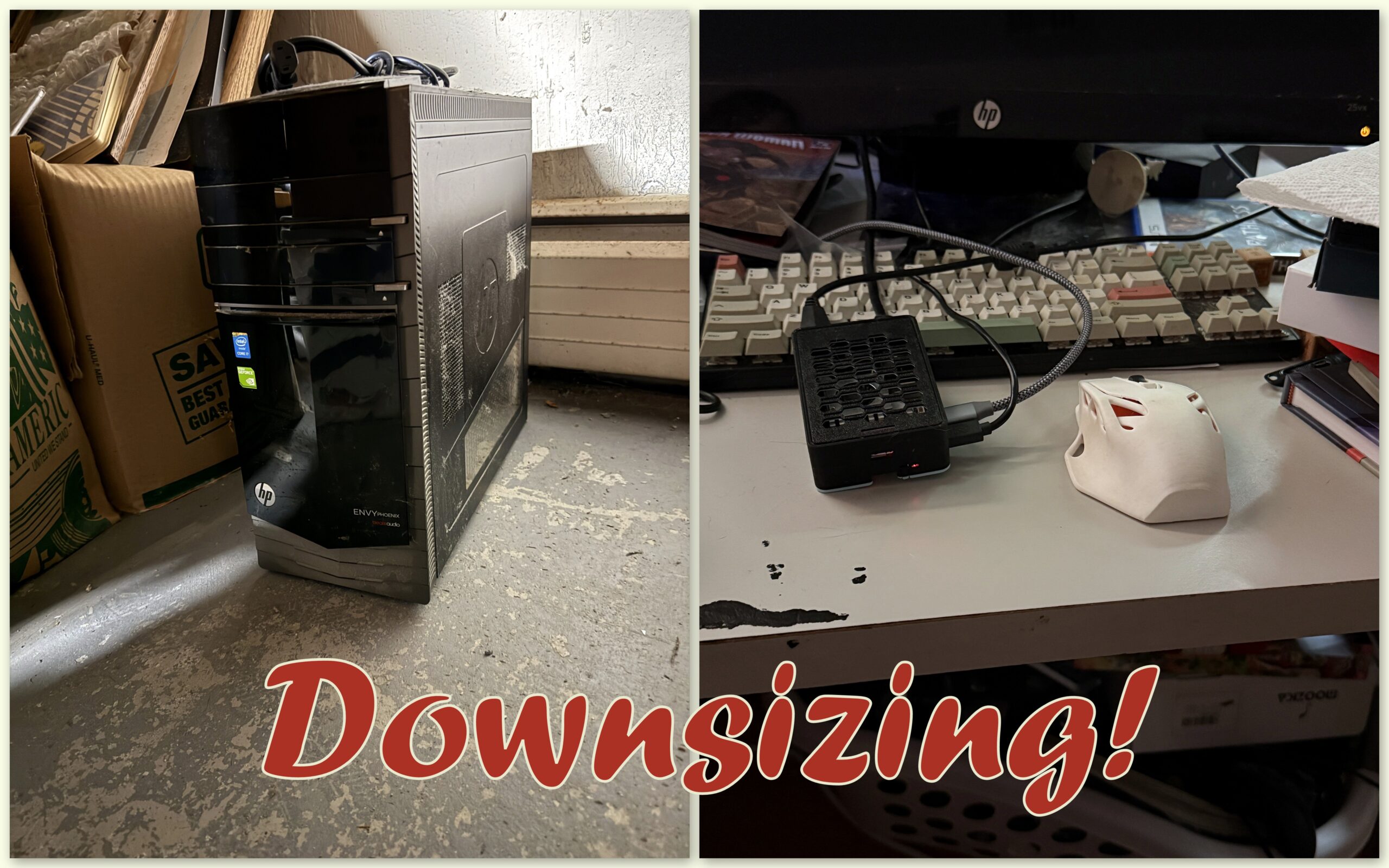
Could I replace an aging desktop computer with a Raspberry Pi the size of a deck of cards? Should I?
I mean, sure, nobody stopped me. I ordered a Raspberry Pi 5, printed a case for it when it came, hooked it up to all the peripherals I was using with the other computer, exiled the other computer to the basement for future recycling, and then life went on.
Mostly.
There may have been a few little, tiny issues.
I upgraded my old gaming computer a few years back, but I kept it around as sort of a second screen that I could do things on while I was gaming on the new gaming computer. It was a Windows 10 box, nothing particularly special about it. It was too old to be upgraded, and I was getting more than a little tired of Microsoft’s constant screeching about “end of life” and “you should buy a new computer” and “especially a new computer with a webcam so we could watch you every second use your face for Windows ‘Hello’! And also we want to record everything you’re doing every three seconds and don’t you want that???
No, no, no, a hundred times no.
What do I even do on that computer, anyway? I browse, use Discord, rip PlayStation 2 games and watch DVDs because my new computer doesn’t have an optical drive and the old one does, watch Netflix while doing something on the other computer… It’d basically become a sidekick to the other computer.
I didn’t need a big honking loud desktop computer to do all that. I could just do that all on my iPad that I already had on another computer I could buy. (That strikethrough pen is getting a workout today).
It is true, though. I could remove the monitor, save some desk space, and set my iPad up there when I wasn’t using it elsewhere. I’d probably have room then to set up my Vectrex permanently. The problem there is that monitor that I use for the second computer, I also use for my PS5, Switch, and any of my retro game systems I have hooked up back there. My desk is a pretty busy place.
Plus, I already had a Raspberry Pi. I think it was a ‘B’? I bought it years ago to use as a MAME box — dedicated to emulating old arcade and console games. And it totally worked for that, but in the years since, I’ve moved emulation to RetroArch and PCSX2, et al, on my gaming computer and more or less moved away from a dedicated box for retro gaming.
I considered reformatting the old Pi to the Debian Linux-based Raspbian OS, which comes with the PIXEL desktop environment, but… Raspberry Pis are fairly inexpensive, so I opted to go instead for the latest one, version 5. I got the clip-on fan with it in case it got too hot with all that extreme browsing I was planning to do.
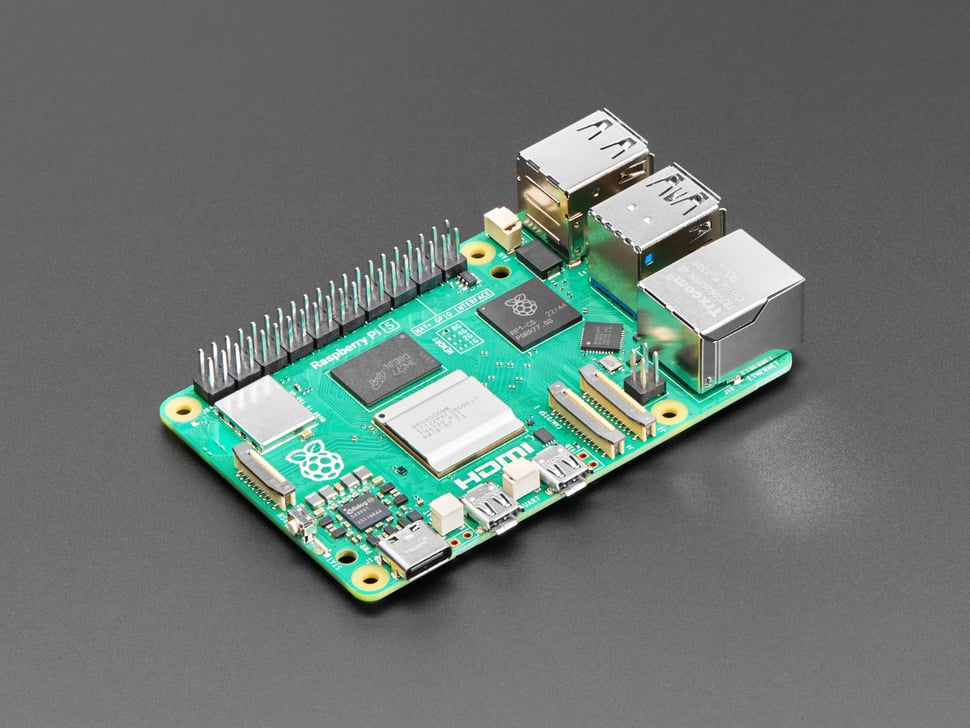
I didn’t get the one with the 16GB of memory, because why would you need that much memory? This was a mistake. If you’re looking into doing what I’ve done, go for the extra memory. You’ll thank me.
Raspberry Pis are very small, all-in-one computers that contain the processor, on-board memory, wired and wireless internet connections, USB connectors, full HDMI video output, connectors for a wide array of peripherals including a dedicated touchscreen in case you want to take it on the road with you.
When I opened the box, I discovered that what I had bought was, at that moment, totally useless.
The Pi 5 requires a different power supply than my old Pi B, and the HDMI connector has shrunk to a micro-HDMI connector, so I needed a new power supply and HDMI cable. I also needed a micro SD card on which to install the operating system and store files.
And, it needed a case. I have a 3D printer, there are hundreds of Pi case templates ready to print, print one of them and good to go, right?
Yeah, it wasn’t that easy. There being so many Pi revisions, it was hard to find one that both said it would work with the Pi 5, and that actually would work once printed. I printed a few in fast-but-brittle draft mode until I found one that I both liked and worked and printed it and it didn’t work. My mini-HDMI cable was just a little to big around the connector. I kept thinning it out until I just decided to remove the stylish recess they had and just make it into a hole, and that worked.
Installing Raspbian on the SD card requires another computer, but it’s pretty easy and they walk you through the utility that sets it all up for you. Once done, attach all the connectors, et voila!
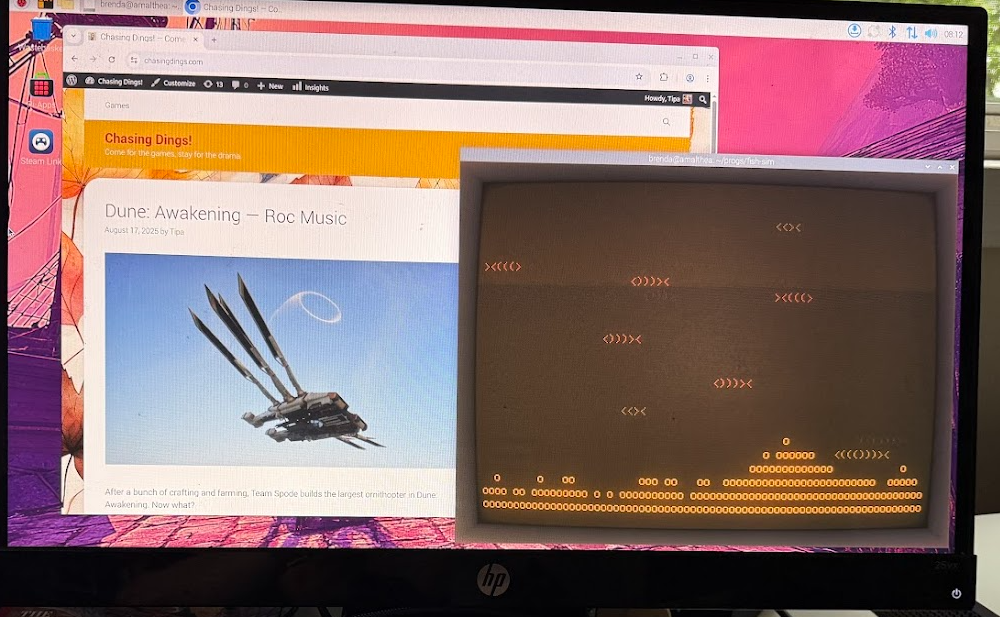
Desktop operating systems have standardized over the years. This isn’t Windows or Mac O/S, but anyone who’s used those others would instantly feel at home here. Almost none of your Windows or Mac programs are available, but there are usually reasonable alternatives, easily installed via the Pi-Apps utility.
Sometimes there are issues. I couldn’t take a screenshot for the photo above; there’s a utility, it just doesn’t work. Google Lens doesn’t work, either, so I suppose it just can’t read the screen for some reason.
Steam exists, and installs, but doesn’t start up. In fact, it crashes the desktop and I have to yank the power out and restart it. I believe this is because I don’t have enough RAM in the machine, but it doesn’t tell me what’s wrong.
Since this is actually Linux, you’ll often find yourself forced to drop into the command line to do stuff, like set up the LAN so that it can talk to your Windows machines, or to get backups working, or apparently to rip PS2 games. I’d gotten that working once, but when I went to rip the PS2 Crazy Taxi disk I’d just bought, it wouldn’t work a second time and left detritus all over my home directory that was owned by “nobody:nobody” and I had to, again, drop to the command line to resolve.
It’s been years — decades — since I used Unix as my daily driver at work, and I’ve forgotten more than I ever knew about it. ChatGPT is really a champ here for figuring out the terminal commands I need to get things working.
But.
For browsing, Discord, listening to music or watching movies — it totally works. Well. It comes with Chromium, a lightweight version of Google Chrome, but opening too many tabs would crash the desktop. I realized that it was the ad-heavy pages that were the problem — they would just keep loading more and more AND MORE ads until crash happened. I was forced to install ad blockers. Blogs were usually safe, but go to, say, Polygon to check up on the latest game news, and a crash was coming.
So, can the Raspberry Pi 5 with 8GB RAM replace your aging desktop computer? A qualified yes. If you keep in mind that this is a little card-sized computer, it’s amazing it can do what it does. But if you really need the desktop computer experience with dozens of programs working at once, a hundred tabs open on the browser, while watching Netflix and playing Fortnite on Steam, no. This is not the computer for you.
But if you want it for just one thing at a time, it isn’t bad. I run GIMP (open source Photoshop alternative) on it, no problem. Listening to music works great, with a bunch of visualizers. Discord and browsing work fine if you’re careful not to stress its memory too much.
If you want Windows and can’t have anything but Windows, this is not a Windows machine and is too underpowered to run a Windows virtual environment. There are super low cost Windows machines, even ones nearly as small as the Pi, but you’ll have to accept limitations for them as well.
Compared to other low power operating systems such as ChromeBook, Raspbian stacks up pretty well. Better, perhaps, since Raspbian has decades of Linux apps available for it, whereas ChromeBook tries very hard to keep you in its own proprietary ecosystem.
Keep your expectations in check, and a Raspberry Pi might just be enough for what you want it to do.




I have the same Pi 5 as you do, but bought it as a kit so it has an SSD, fans, power, and nice case. I am using it to run Docker containers right now, and not much else. But I recently bought another Pi 5, just the board, with the intent of building a NAS so I can retire or repurpose my external HDD. I will also be printing a case for this, but I started this project because I saw a YT video of Some Dude who was explaining his NAS and provided the print files for his case, so I’m fairly confident/hopeful that I can use that.
I like the case I eventually ended up with, but it bugged me that the connectors weren’t fitting because they were trying to be fancy. Took it into my slicer and just make a slot without any fancy bezels.
I think Pis are better for connected internet appliance applications, like yours, than full desktop replacements. But it works well enough 🙂