It’s impossible for me to really explain how special it was, a couple years ago, to finally receive a Vectrex all my own. I feel weirdly split between having it sitting right on my desk, ready for instant use at any time, and keeping it safely stored away in its custom slipcase downstairs on its special shelf with the games, careful as one can be with a 42-year old console.
Some maniac has bought the Vectrex name and website and plans a Kickstarter in November to sell a new, mini version. The Vectrex was famously the only home console that used a built-in CRT monitor to display vector graphics, giving it a unique look and feel unmatched since.
This mini console won’t have that. It will be running an emulator in the background and displaying the game on an OLED raster screen. It’s not clear from the pictures, but it looks like it may take the OEM control pads, though I think it’s unlikely that the 3D and light pen add-ons will work with it.
So yeah, no more information about it than that. It will ship with some of the best Vectrex games built-in. GCE, the Vectrex developers, released the Vectrex and all its games to the public domain so this is one of the few consoles you can find ROMs for, entirely legally.
Just as with IntelliVision and ColecoVision games, playing the ROMs directly on emulators is a little unsatisfying, as the game depended so much upon their custom controllers. The Vectrex is no different. So, though the mini Vectrex may not use the vector graphics, and though the screen is half as tall, you will be able to play with a controller that is meant to play those games.
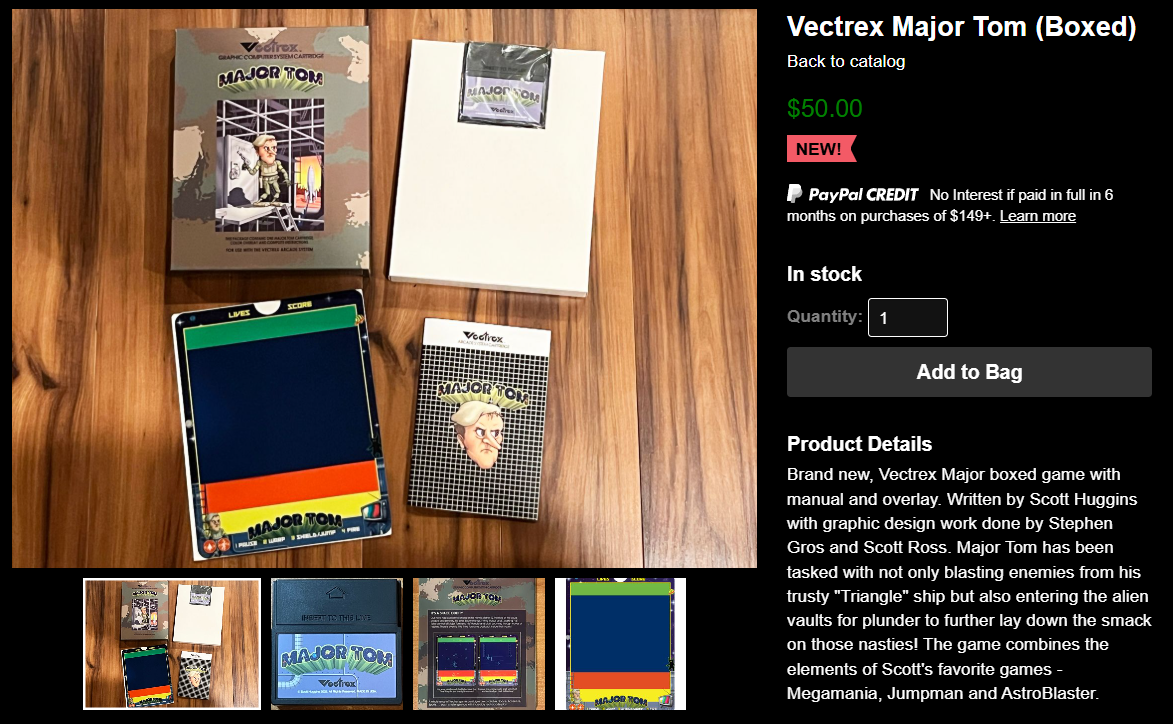
Sean Kelly has been keeping the Vectrex flame alive for many years, making repro overlays, multi-carts, controllers, peripherals and spare parts to keep these old machines alive and gaming. Even with all that, I was surprised to get an e-mail advertising an entirely new Vectrex game, complete with cartridge, box, manual and overlay, looking just like I might have seen it in Toys ‘R’ Us back in the day.
Will I buy it? I dunno. I haven’t even come close to collecting all the original games. If I see it at Retro World Expo next month, I might get it. I really do want to support Vectrex development and I’m sure it would be fun — 40 years in the making and all that, the quality has to be stellar.
You can find more info about this game and everything else Vectrex at Kelly’s site — vectrexmulti.com.
Mail Plane
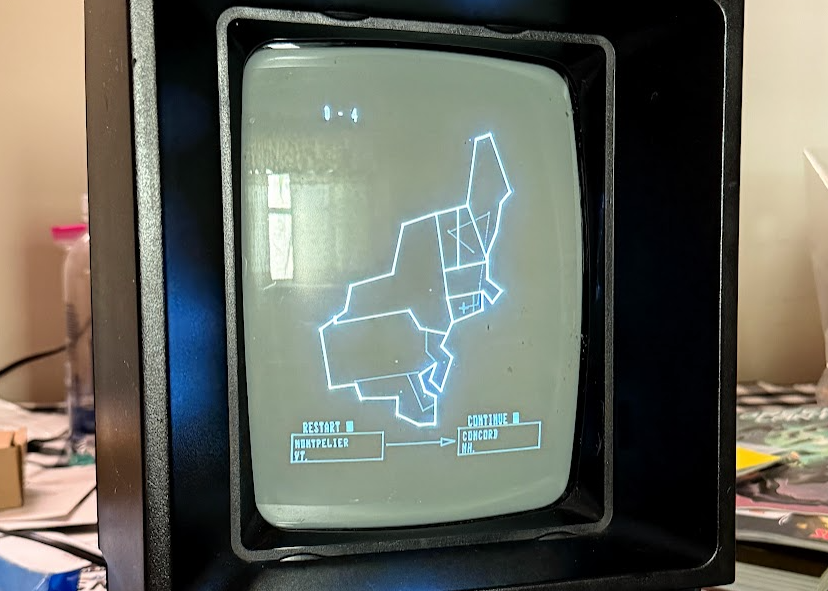
This is the game I bought a Vectrex light pen to play. The goal of the game is to load five important packages and fly them to their destinations in the shortest amount of time, avoiding storms, running out of fuel, missing the runway and just random crashes. There are four different regions, all set on the United States map: The Northeast, the Southeast, the Pacific and Mountain states, and the Midwest. Each escalates the distances and the danger.
You select your route with the light pen accessory. I was happy to see that both Hartford, CT — where I live now, and Concord, NH — where I grew up — were both on the map. I plotted a route from Hartford to Providence, up to Boston, Augusta, Montpelier and finally coming home to Concord.
After the route selection comes the cargo loading. The smart thing to do is to put the cargo in, in reverse order of the flight, to make unloading quick. Yes. That would have been the smart thing to do. The manual even mentions it. You’d have to be some kind of stupid to not do that.
Anyway, after the short trip to Providence, I played an unexpected mini game called “rearranging the cargo so that it makes sense” and continued on my way.
Clouds, small to large, randomly move around the screen like lazy asteroids in Asteroids, a vector game not offered on the Vectrex. It’s best to avoid them, but you can fly over or under them — which way you go depends on the size of the storm. Going too low, crashes you. Going to high means you’ll probably miss your airport. Just ignoring the storms means hello, lightning.
It’s a fun game.

Spike
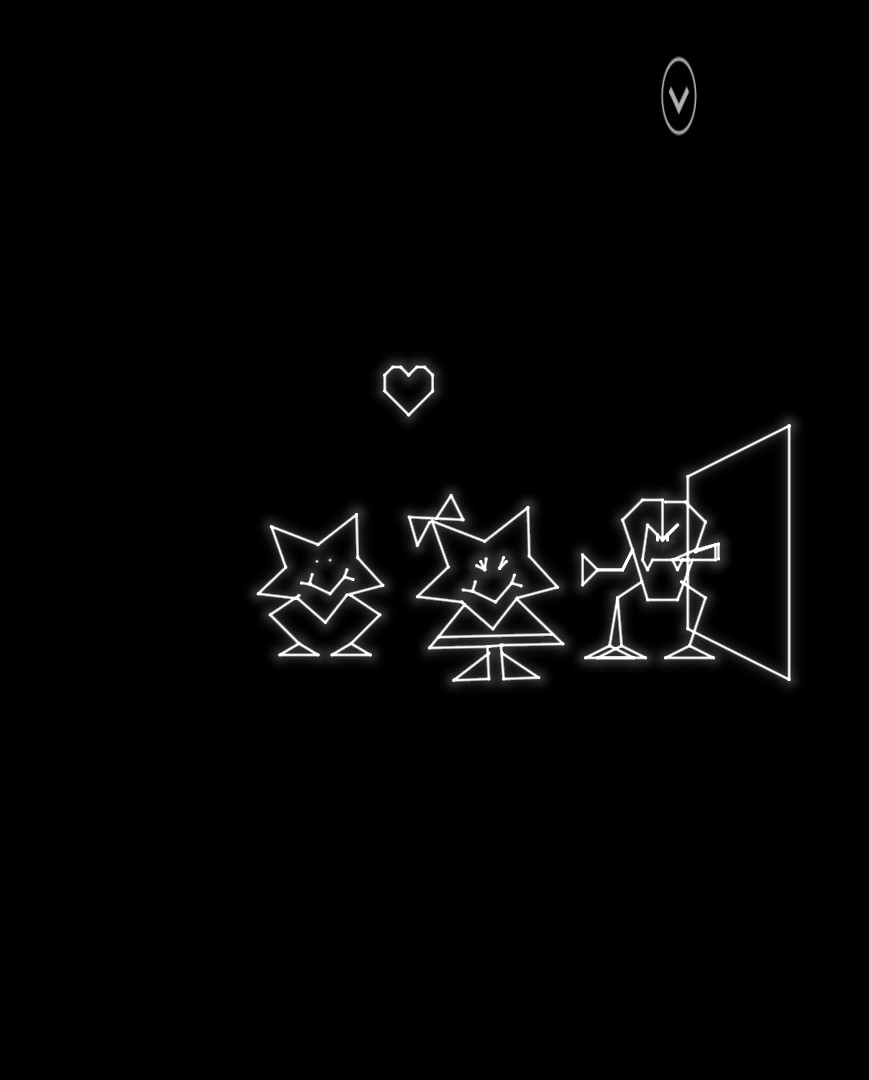
I saw this in RetroGames this past weekend, looked it up, and… an isometric platformer on the Vectrex? Surprisingly, yes.
You’re Spike. The love of your life, Molly, has been stolen away by some villain. You must climb your way up sliding platforms using a ladder you can move around and avoiding, or fighting, the enemies that bar your way. Collect the randomly-placed key and jump through the door and you find Molly!
Who is immediately kidnapped once more.
It’s pretty cool, graphically, and the characters actually say words! They did something with the Vectrex’s built-in sound synthesizer to make the white noise generator output understandable English words. “Oh no!”, “Eek!”, “Spike!”, “Darn it!”, are just some or all of the words they’ll say.
Surprisingly difficult game, but I’m just happy to see it.
I bought it loose, without box, manual or overlay, so it’s not really collectible, yet, but we’ll see what we find at Retro World.
Melody Master
I bought this loose last year at Retro World. It also required a light pen, so I couldn’t play it until I obtained one of those things.
I was a little disappointed by it.
I’m not sure what I really expected with it?
The game has a synth melody input that I couldn’t figure out, but seemed like you could put a melody line into the machine and have it played with either flute or piano sounds.
There are two game modes. Game 1 has a rendered pianist tapping out notes on a piano as they appear on a scrolling staff on the top half of the screen. You repeat the ever-longer note sequence using the light pen to tap the rendered one-octave keyboard below. You do get to choose which key you intend to practice. I chose C major, but it still had plenty of accidentals, so not sure what the selection does.
Game 2 is the same, but without the staff to tell you what the notes are — you’re meant to rely on your ear training alone.
I doubt I’ll ever play this again. It was loose, so not even collectible.
I was a little frustrated trying to get screenshots of Vectrex games on the actual machine. I wondered if it would be easier to just use an emulator. I checked my go-to emulator, RetroArch, and it did indeed have a Vectrex emulator built-in. I downloaded the complete library of game ROMs from the Internet Archive, and managed to get some games to work, but I was really missing the actual Vectrex controller. The emulator lets you choose a few different controller layouts, and it did work, but the games really were meant for four arcade buttons in a row, and a joystick on the left.
All said, I’d rather just play the games on the Vectrex itself. There’s just something about the physicality of it that puts me right back into the 80s arcade.